
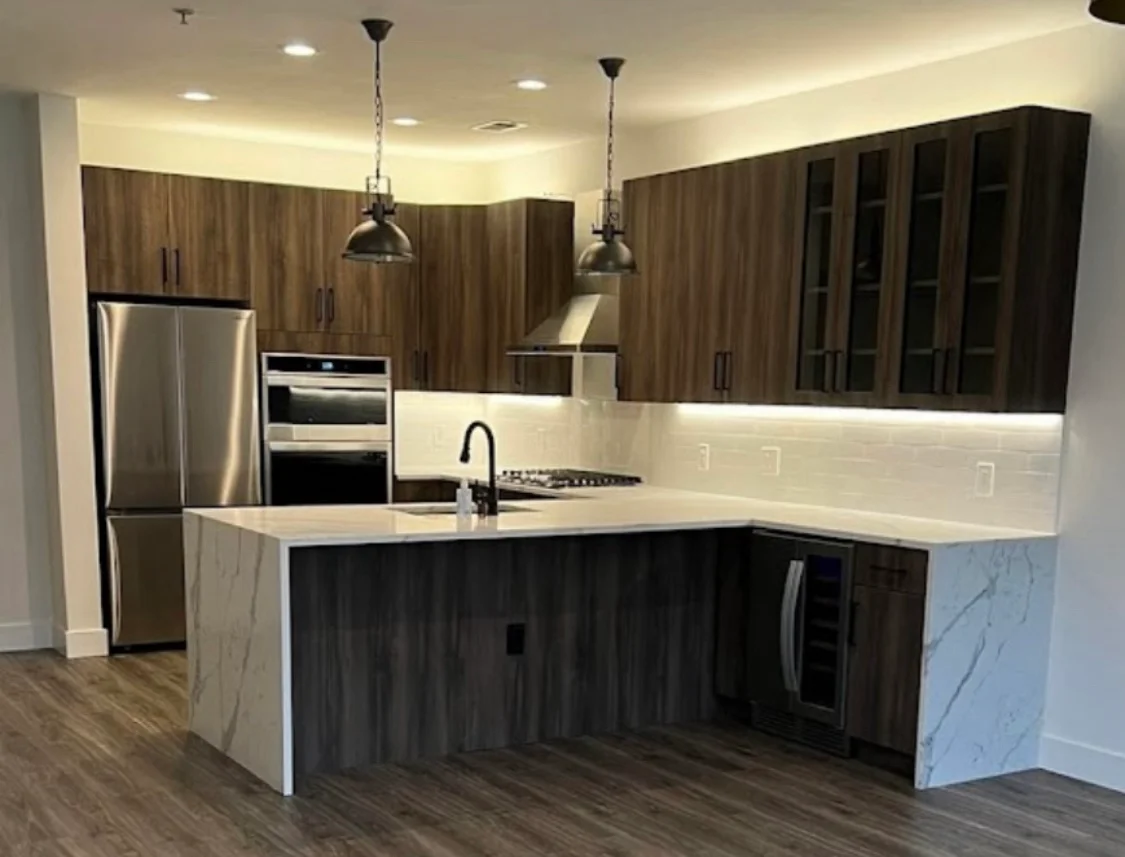
Start with one source of truth
A renovation selection tracker keeps the project readable. Instead of scattering notes across texts, emails, showroom visits, and paper estimates, you keep one place for what has been chosen, what still needs a decision, and what is waiting on approval or ordering.
That matters most when shared decisions across rooms can drift unless they are tracked in one place. Cabinet finishes, flooring, tile, lighting, trim, plumbing fixtures, and paint choices can all affect one another. A tracker helps you see the project as one coordinated scope instead of a string of disconnected purchases.
It also gives you a clean way to separate design choices from material-ordering responsibility, which are not always the same thing.
What belongs in the tracker
A good tracker does not need to be fancy. It just needs to capture the decisions that can change the project.
Use columns or fields for:
- room or area
- item or selection name
- approved option
- finish, color, or model note
- who approved it
- date of decision
- open questions
- order status
- lead-time risk or dependency
- install location or room reference
- change note or version number
This is especially helpful when a homeowner is comparing similar items. Two fixtures may look nearly the same in a showroom, but one may fit the design direction better or affect related choices elsewhere. The tracker keeps those tradeoffs visible.
Decide who owns each part of the record
The tracker works best when responsibility is clear.
A homeowner may be the final decision-maker for finishes, but the contractor may be the person confirming whether a selected item fits the larger project schedule, the build sequence, or the ordering path. In some cases, the project team may suggest substitutions if a selection is delayed or no longer available. The point is not to assign every task to one person. The point is to make sure everyone knows where the current decision lives.
A useful comparison is this:
- Loose notes answer, “What do I remember?”
- A selection tracker answers, “What has the project actually agreed on?”
That difference matters when a decision is revisited weeks later and nobody wants to guess what was approved.
Keep version history and open decisions visible
A renovation tracker should show both settled items and unresolved items. A list of only final selections can hide the real blockers.
Mark each line as one of these:
- approved
- under review
- needs building or project-team confirmation
- waiting on sample or quote
- waiting on order
- replaced by a new option
If a choice changes, do not erase the old one without trace. Keep a short version note explaining what changed and why. That record is useful when you are trying to understand why a room shifted direction, or when a later decision depends on an earlier one.
Open decisions are just as important as approvals. If the flooring has been chosen but the stair trim has not, that should be visible. If the bathroom vanity is approved but the hardware is still undecided, that should stay open until it is resolved. Hidden unknowns tend to slow a renovation more than the difficult decisions themselves.
Use the tracker to separate approvals from ordering
Selection approval and material ordering are related, but they are not identical.
A homeowner may approve a tile, fixture, or cabinet set, while the person managing the project handles the actual order, delivery timing, and checking of items against the approved selection. That division should be explicit. Otherwise, a homeowner may assume something has been ordered when it has only been chosen, or assume a product has been checked when it has only been requested.
For projects in Hoboken, that clarity helps when the renovation also needs building coordination or other site-specific steps. If you are working within a condo or co-op, or coordinating with a building manager, the tracker can help keep those separate approvals from getting mixed together with the home selections. If you want the local service-area context, see Hoboken service area.
A simple tracker you can start with today
Use this worksheet structure:
| Area | Item | Decision | Open question | Responsible for next step | Status |
|---|---|---|---|---|---|
| Kitchen | Cabinets | Approved finish | Confirm hardware direction | Project team | Waiting on order |
| Bath | Vanity | Under review | Compare two sizes | Homeowner | Open |
| Whole home | Flooring | Approved product | Confirm transition at stair | Project team | Pending confirmation |
| Living area | Paint | Approved color family | Confirm final room list | Homeowner | Approved |
You can add rows as the project grows. Keep it in one shared file, one shared spreadsheet, or one printed sheet that is updated regularly. The format matters less than the habit.
Before you send your renovation inquiry
A useful first message gives the contractor enough detail to see whether the project is a fit. The same information should feed your tracker.
Send:
- the project scope and which rooms are included
- your ZIP code
- the main decisions already made
- what is still open
- your preferred timing or deadline pressure
- whether you live in the home during work
- any building or condo/co-op coordination concerns
- how you prefer to communicate
If you are ready to start that conversation, use contact. If you want related planning context first, this guide pairs well with How to keep renovation changes clear and traceable.
A single tracker will not make every renovation choice easy. It will make the project easier to read, easier to review, and easier to hand off when the scope gets larger than one room.
Explore HKB’s full-home renovation service to discuss how these decisions fit the wider project.